Pre-requisites for this module
Introduction
In order to be able to complete this module, you need to have a few tools installed on your machine. You will get more familiar with the tools while going through this module so for now start with the installation.
Note: You don’t need to install everything from the beginning in order to start the module, you can refer back to this section whenever you need it.
JDK
What is JDK?
The JDK is an acronym for Java Development kit. The JDK provides tools and libraries needed to develop, compile and run Java applications.
How to install
Majority of the systems already come with a JDK installed. In order to check out the default version you have installed,
open a terminal on your machine where you can use bash, and run java --version.
We recommend that you install the latest LTS (Long Term Support) version.
In order to find instructions on how to install a version of JDK, you can have a look at the official documentation
for JDK installation.
Another way to download a JDK is to use the Intellij IDEA which is a very powerful
tool when developing on Java code.
For the modules on this learning platform the Community edition of IntelliJ is sufficient.
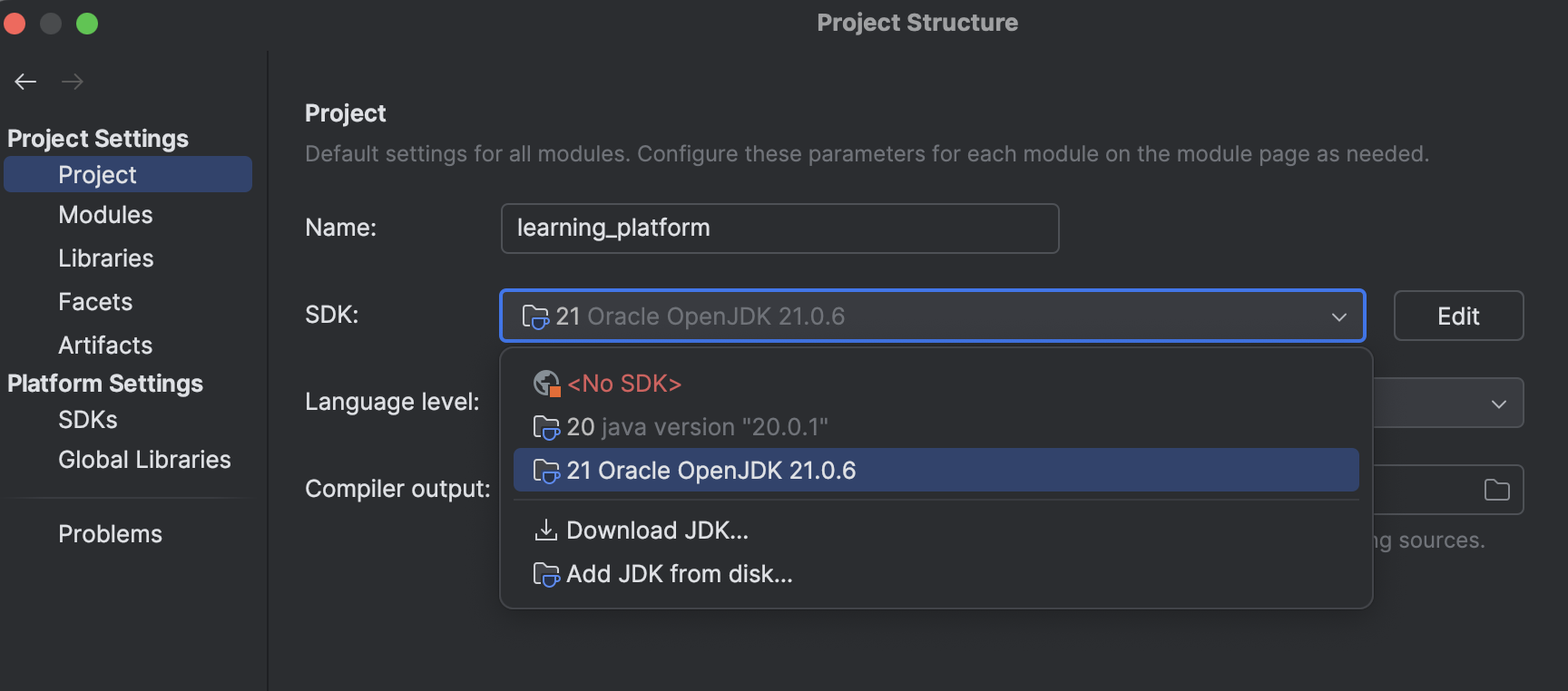
To check what JDKs you have available and download a new version, from the Intellij menu, go to File->Project Structure.
Then you should be prompted with a window that looks like this:
Build Tools
In this module, we will build and package java applications using Gradle.
We will cover the basic knowledge that you need on gradle later on in the module, when we tackle Packaging Java Applications.
In order to check if you have gradle installed type gradle --version in bash.
In order to install manually, you can have a look at the Gradle Installation.
IntelliJ supports full integration with Gradle, more instructions on this can be found on this page: Intellij Gradle .
When you go through this module we recommend that you gradle both from command line and any IDE you might choose,
so that you get familiar with the tool.
We recommend using the Gradle Wrapper in order to run gradle tasks. In order to see the gradle wrapper in action, have a look at the reference app.
Docker
We will cover what docker is, and it’s basic image in the Containerization with docker
but for now, make sure that you have docker installed on your machine: Docker installation guide.
To verify what version of docker you have installed, use the docker CLI by typing in your bash terminal docker version.
Docker compose
We will cover the docker compose basic usage when we cover Running Containers with docker compose.
The latest versions of docker CLI includes the installation of docker compose so if you installed docker as explained above, you should have it already.
To check the installation, run docker compose version on your machine.